What Exactly Is Phishing?
Introduction
Cybercriminals do not always rely on sophisticated hacking techniques.
In many cases, they simply rely on human trust.
This is the foundation of phishing.
Phishing is one of the oldest and most effective cyberattack methods, yet it remains one of the most dangerous threats facing individuals and businesses today.
Every year, phishing attacks cause:
• Data breaches
• Financial losses
• Identity theft
• Account compromises
• Business disruptions
What makes phishing particularly dangerous is its simplicity.
Attackers do not need to break into systems directly.
Instead, they trick users into giving away access willingly.
What Is Phishing?
Phishing is a form of cyberattack where criminals pretend to be a trusted source to steal sensitive information.
The attacker may impersonate:
• Banks
• Social media platforms
• Online services
• Government organizations
• Employers
• Business partners
Their goal is to convince victims to reveal:
• Passwords
• Credit card information
• Banking details
• Personal data
• Business credentials
Phishing attacks primarily exploit trust rather than technology.
Why Phishing Is So Effective
Cybercriminals understand human behavior.
They create messages that trigger:
• Fear
• Urgency
• Curiosity
• Trust
Examples include:
• "Your account has been suspended."
• "Unusual login detected."
• "Verify your details immediately."
• "You have received a payment."
Many users react quickly without verifying authenticity.
This is exactly what attackers want.
How a Phishing Attack Works
Most phishing attacks follow a simple process:
Step 1: Contact the Victim
Attackers send:
• Emails
• SMS messages
• Social media messages
• Fake advertisements
designed to appear legitimate.
Step 2: Create Urgency
The message pressures users to act quickly.
Examples:
• Security warnings
• Account lockout threats
• Limited-time offers
• Payment issues
Urgency reduces critical thinking.
Step 3: Redirect the User
Victims are directed to:
• Fake login pages
• Malicious websites
• Fraudulent forms
These pages often look identical to legitimate services.
Step 4: Steal Information
Users unknowingly enter:
• Usernames
• Passwords
• Banking details
• Verification codes
The attacker captures this information immediately.
Common Types of Phishing Attacks
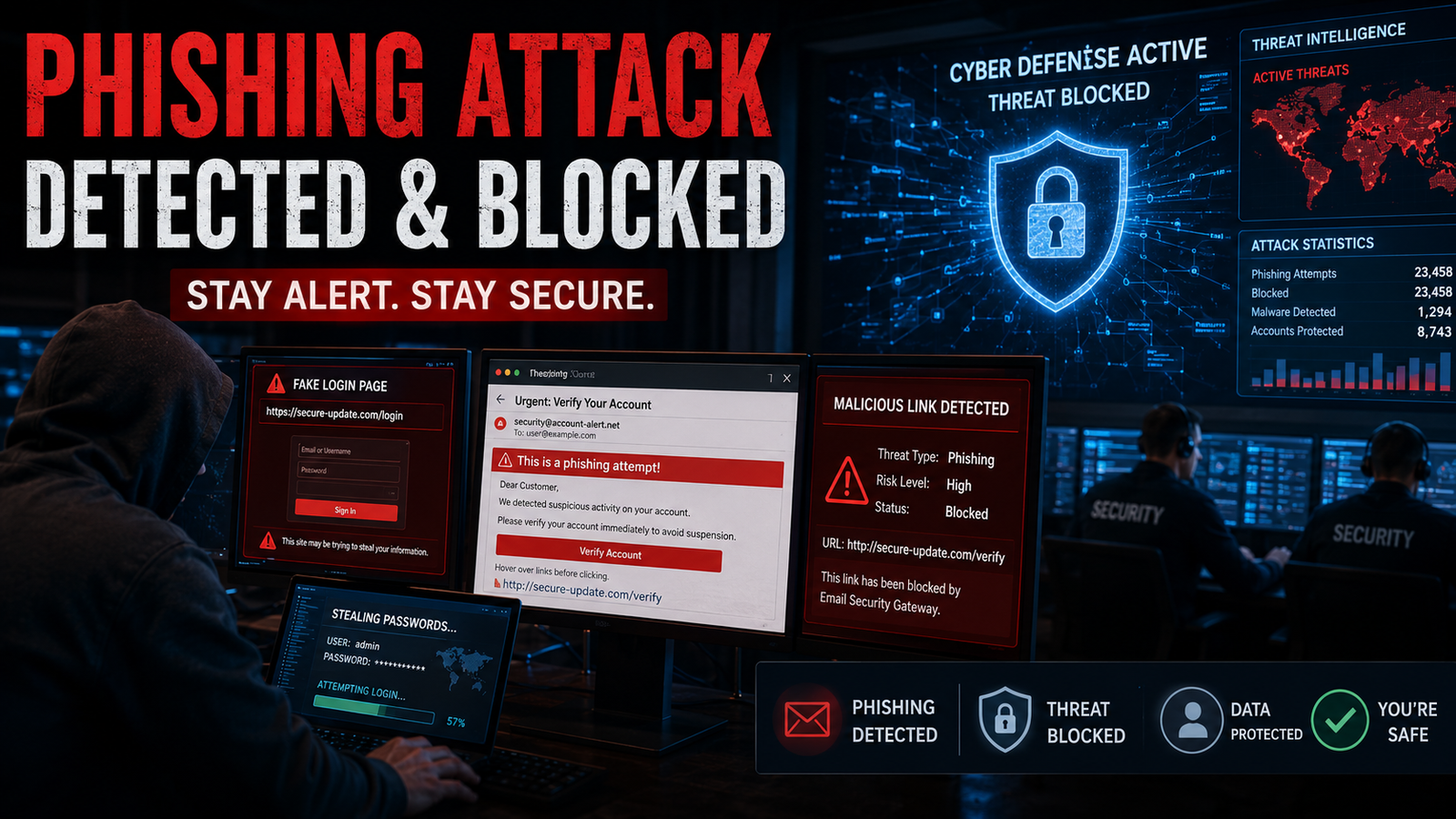
1. Misleading Links
One of the most common phishing techniques involves deceptive URLs.
Attackers create websites that closely resemble legitimate brands.
Examples:
Legitimate:
• yourbank.com
Fake:
• your-bank-security.com
• yourbank-login.net
At first glance, these websites appear trustworthy.
Why Misleading Links Are Dangerous
Victims often click links without inspecting them carefully.
Once redirected, they may:
• Download malware
• Enter credentials
• Expose personal information
Always verify URLs before clicking.
2. Fraud Emails
Email phishing remains the most widespread attack method.
Attackers send messages pretending to be:
• Banks
• Delivery companies
• Government agencies
• Employers
• Popular online platforms
These emails often include:
• Urgent requests
• Fake invoices
• Security alerts
• Password reset links
Warning Signs of Fraud Emails
Look for:
• Generic greetings
• Suspicious sender addresses
• Poor grammar
• Unexpected attachments
• Requests for sensitive information
Legitimate organizations rarely ask for passwords via email.
3. Fake Login Pages
Fake login pages are designed to look identical to real websites.
Attackers replicate:
• Logos
• Branding
• Layouts
• Login forms
Users believe they are signing into a trusted platform.
In reality, they are handing credentials directly to criminals.
Why Fake Login Pages Work
People tend to trust familiar designs.
When a website looks authentic, many users do not verify the URL.
This creates an easy opportunity for attackers.
4. Password Theft
Password theft is often the ultimate goal of phishing.
Once attackers obtain credentials, they may:
• Access accounts
• Steal personal data
• Conduct financial fraud
• Move deeper into business systems
A single compromised password can create widespread damage.
The Business Impact of Phishing
Businesses face serious risks from phishing attacks.
Consequences may include:
• Financial losses
• Customer data exposure
• Operational disruption
• Legal issues
• Reputation damage
Even a single compromised employee account can affect an entire organization.
Why Employees Are Often Targeted
Attackers frequently target employees because:
• They have access to business systems
• They handle sensitive information
• They may trust internal communications
Cybersecurity awareness training is essential.
How to Protect Yourself from Phishing
1. Verify Links Before Clicking
Always inspect URLs carefully.
Look for:
• Misspellings
• Unusual domains
• Suspicious formatting
When in doubt, visit the official website manually.
2. Use Multi-Factor Authentication (MFA)
MFA adds an extra layer of protection.
Even if passwords are stolen, attackers still need an additional verification factor.
This significantly reduces risk.
3. Never Share Passwords
Legitimate organizations do not request passwords through:
• Email
• SMS
• Phone calls
Treat such requests as suspicious.
4. Check Sender Information
Before trusting any message:
• Verify the sender's email address
• Confirm the domain
• Check for inconsistencies
Small details often reveal phishing attempts.
5. Educate Employees and Teams
Human error remains one of the biggest cybersecurity vulnerabilities.
Regular training helps employees:
• Recognize threats
• Avoid scams
• Report suspicious activity
Awareness dramatically improves security.
Signs You May Have Been Phished
Warning indicators include:
• Unexpected password changes
• Suspicious account activity
• Unauthorized transactions
• Login alerts from unknown locations
• Unusual emails sent from your account
Immediate action is critical.
What to Do If You Become a Victim
Take these steps immediately:
-
Change affected passwords
-
Enable MFA
-
Notify relevant organizations
-
Monitor financial accounts
-
Scan devices for malware
-
Inform your IT department
Fast response can limit damage.
The Future of Phishing Attacks
Modern phishing attacks are becoming more sophisticated through:
• AI-generated emails
• Deepfake communications
• Personalized targeting
• Advanced social engineering
This makes cybersecurity awareness more important than ever.
Conclusion
Phishing is one of the simplest cyberattacks, but also one of the most dangerous.
By using:
• Misleading links
• Fraud emails
• Fake login pages
• Password theft techniques
attackers continue to compromise individuals and businesses worldwide.
Fortunately, phishing is also one of the most preventable threats.
With proper awareness, security practices, and verification habits, users can significantly reduce their risk.
Because in cybersecurity, technology helps.
But awareness remains the strongest defense.
FAQ Section
What is phishing?
Phishing is a cyberattack where attackers impersonate trusted organizations, websites, or individuals to trick users into revealing sensitive information such as passwords, banking details, or personal data.
Why is phishing dangerous?
Phishing can lead to:
• Password theft
• Identity theft
• Financial fraud
• Data breaches
• Business system compromise
How can I identify a phishing email?
Common warning signs include:
• Suspicious links
• Urgent requests
• Grammar mistakes
• Unknown senders
• Fake login requests
• Unusual attachments
What should I do if I click a phishing link?
Immediately:
• Change passwords
• Enable MFA
• Scan your device for malware
• Notify your IT team or service provider
• Monitor accounts for suspicious activity
Can businesses be targeted by phishing attacks?
Yes. Businesses are frequently targeted because attackers seek access to customer data, financial systems, employee accounts, and internal business information.




Comments (0)